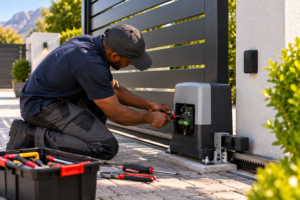
How to Reprogram Your Gate Remote Control? Don’t worry—you don’t need to buy a brand-new unit just yet. In most cases, you can reprogram your gate remote control in a few minutes and have it working like new.
At NC Automation, we specialize in gate automation and remote solutions, so we’ll walk you through the exact steps to reprogram your gate remote safely and effectively.
Why Would You Need to Reprogram a Gate Remote?
-
Battery replacement – sometimes, after changing the battery, remotes lose their stored codes.
-
Interference or system reset – power cuts or electrical issues can cause your gate motor to “forget” remote codes.
-
Adding new remotes – if you have multiple users, you may need to sync new remotes to the system.
-
Security concerns – after losing a remote, reprogramming ensures only trusted devices are connected.
How to Reprogram Your Gate Remote Control (General Method)
Note: The exact process may differ depending on your gate motor brand (Centurion, ET Nice, etc.). Always refer to your manufacturer’s manual or contact NC Automation for assistance.
-
Locate the Receiver
-
Open the gate motor housing. Inside, you’ll find the receiver board that communicates with your remote.
-
-
Press the Learn/Program Button
-
On the receiver, press and hold the “Learn” or “Prog” button until the LED light turns on.
-
-
Press Your Remote Button
-
While the LED is on, press the button on your remote that you want to sync. The LED should flash, confirming the code has been stored.
-
-
Test the Remote
-
Exit programming mode and press the remote button again. If done correctly, the gate should respond immediately.
-
-
Repeat for Multiple Remotes
-
Reprogram each remote individually if you have more than one.
-
Troubleshooting Tips
-
If the LED does not flash, the remote battery may be weak—replace it and try again.
-
If your gate motor is older, you may need a replacement receiver module.
-
For lost remotes, it’s best to clear the receiver memory and reprogram only trusted remotes.
Reprogramming a gate remote control is simple once you know the steps, but every system is slightly different. If you get stuck, don’t stress—NC Automation can help with expert troubleshooting, replacement remotes, and professional programming.
Need help reprogramming your gate remote? Contact NC Automation today for fast, reliable assistance!